Talk to your Windows PC. Claude does the rest.
An open-source voice assistant that runs on your own computer and uses your own Claude subscription. Quick questions get instant answers; everything else, Claude does for you on your PC.
Early preview for Windows 10 and 11. MIT license.
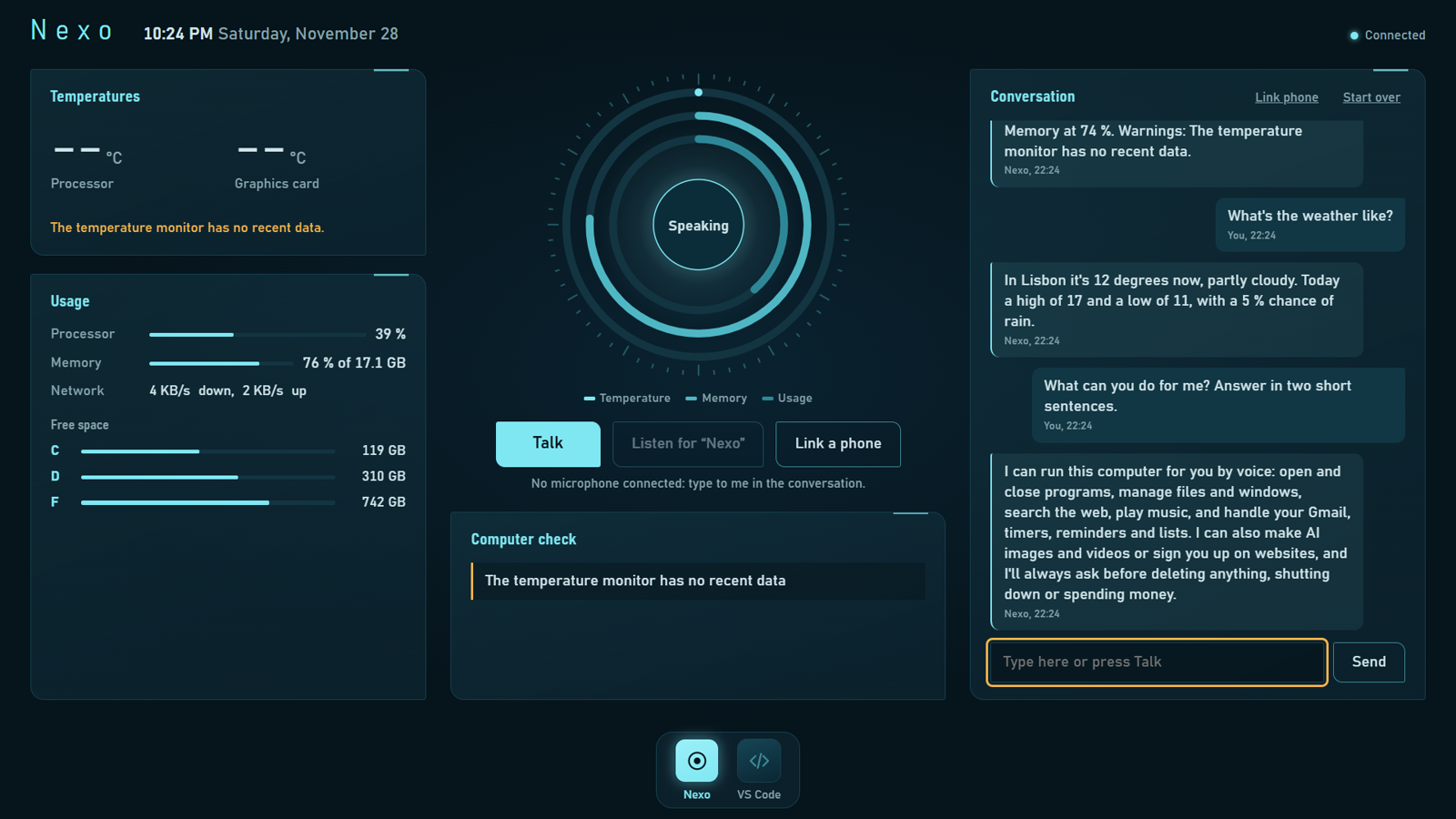
What it does
Everything works by voice or by typing, in English, Spanish or Portuguese.
Instant answers
Memory, disks, temperatures, the time, the date and the local weather, without waiting for Claude.
Claude for everything else
Open programs and files, search the web, fill in forms, drive any app with the mouse and keyboard. It asks before deleting, spending or sending anything.
Fast in any program
A half-second screen view, one-step actions and waits that watch the screen instead of fixed delays. A WhatsApp message goes out in about two seconds.
Gmail, timers and lists
Read and search your email, set alarms, reminders and shopping lists, and hear them when it's time.
From your phone optional
Talk to it, see the screen, use the phone as a trackpad, and get a notification when a long task is done.
AI images and videos optional
The cheapest good model first, switching service on its own when one runs out of credits. It tells you the cost first.
How it works
Your voice never leaves the PC as audio. Only the text of what you ask Claude goes out, through your own Claude Code account.
You speak
Say “Nexo” and what you want, press the hotkey, or type.
It listens locally
faster-whisper and Vosk turn your voice into text on your own PC.
Quick or Claude
Simple questions are answered on the spot; the rest goes to Claude Code.
It acts and answers
Claude uses your PC's tools, then Nexo tells you what it did, out loud.
Install
You need:
- Windows 10 or 11 and Python 3.12
- Claude Code, signed in with your Claude subscription
- ffmpeg, for audio from the phone
- A microphone, or just type
Or simply download the ZIP and right-click instalar.ps1 > Run with PowerShell: it installs what is missing and sets everything up. The first time, a setup page asks for your language, name, wake word, city and folders. Full guide.
git clone https://github.com/nexo-control/nexo-control.git
cd nexo-control
py -3.12 -m venv .venv
.venv\Scripts\python -m pip install -r requirements.txt
# speech model for your language: en, es or pt
.venv\Scripts\python herramientas\descargar_modelos.py en
.venv\Scripts\pythonw iniciar.pyw
Yours, on your PC
Your own accountsIt uses your Claude subscription and your own Gmail or services. No middleman account.
Keys stay outsideKeys and personal data live in your user folder, never in the project.
Open sourceMIT license. Read every line, change what you want.